

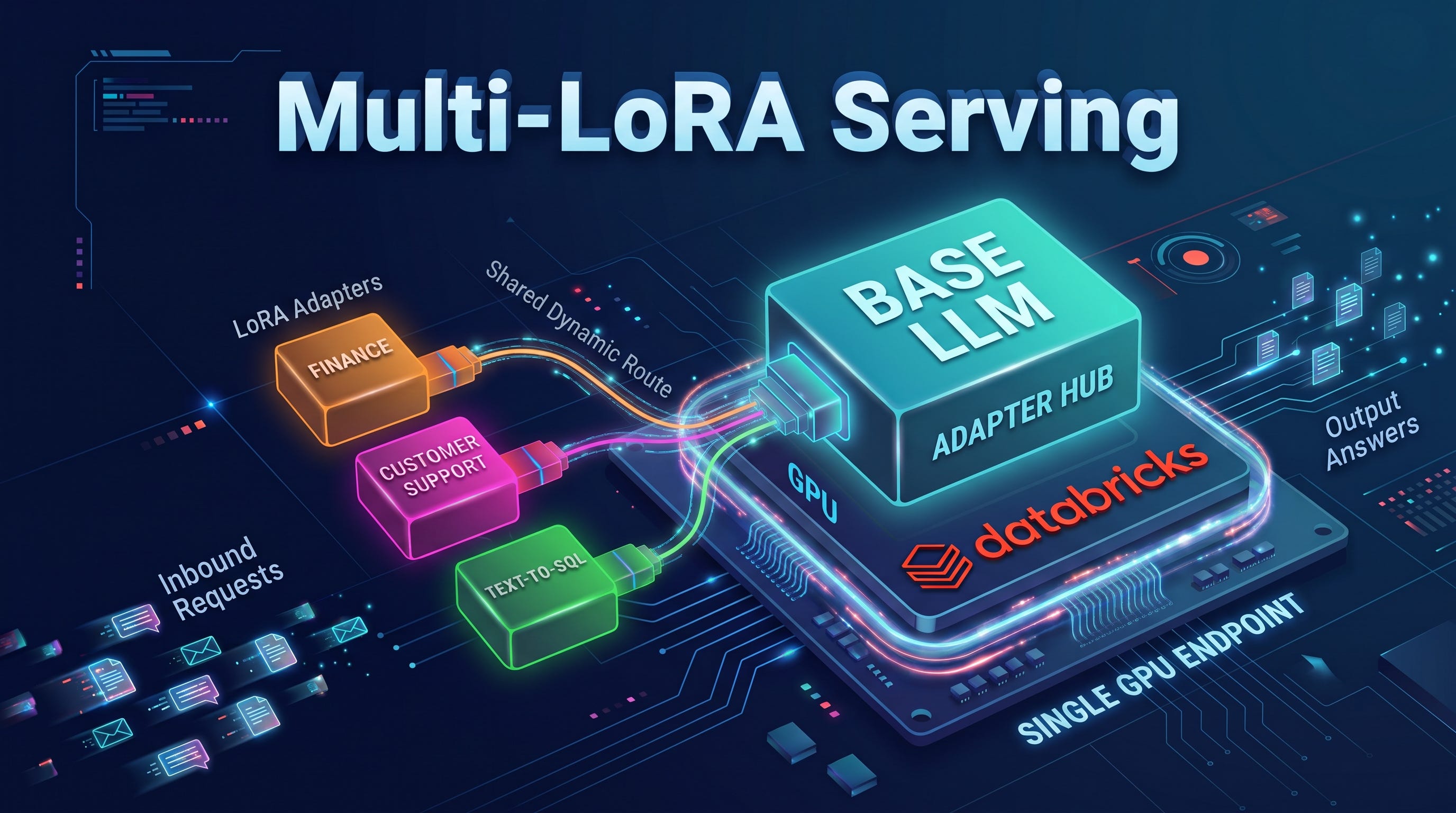
LoRA adapters make fine-tuning lighter and faster, and multi-LoRA serving makes them inexpensive to run. This post explains when multi-LoRA is the right choice, and walks through serving a base model and several adapters from a single Custom LLM Serving endpoint with vLLM.
Summary
If you have several fine-tuned variants of the same base model, you can usually serve them all from one GPU endpoint. Multi-LoRA serving keeps one copy of the base model in GPU memory and applies the requested adapter to each request, so you pay for one endpoint instead of one per model.
On Databricks, you package the base model, the adapters and the vLLM/SGLang command as one MLflow model, register it to Unity Catalog and deploy it with Custom LLM Serving. Each request then picks an adapter, or the base model, by name.
Multi-LoRA fits best when you have many adapters with moderate traffic each. For a single fine-tuned model with high traffic, where latency matters most, serving the merged weights is usually the better option.
What LoRA is and why it helps
Fine-tuning every weight of a large language model is slow and expensive, and it produces a full copy of the model for every task. LoRA (Low-Rank Adaptation) takes a lighter approach. It freezes the base model and trains a small pair of low-rank matrices next to selected layers, such as the attention and MLP projections. Only those matrices, called the adapter, are saved.
An adapter typically holds about 0.1% to 2% of the base model’s parameters, depending on its rank and the layers it targets. On disk, that is often tens to hundreds of megabytes for a model whose weights take many gigabytes. This brings three practical advantages. Training needs less GPU memory and time, so a single GPU is often enough. Adapters are cheap to store and version, so you can keep one per task, per customer or per experiment. And in many tasks, a well-trained adapter reaches quality close to full fine-tuning, although you should confirm that on your own evaluation data.
Multi-LoRA serving: one base model, many adapters
Because each adapter only adds to a shared base model, a serving engine can load the base model once and keep several adapters next to it. Multi-LoRA serving does exactly that. Every request names the adapter it wants, the engine applies that adapter’s small matrices on the fly, and requests for different adapters can share the same batch on the GPU.
In the example used throughout this post, one endpoint serves Qwen3.5-4B, a small open model, with three adapters: finance, customer_support and text_to_sql. A request with model="finance" gets the finance adapter, and a request with the base model’s name gets the base model, all from the same GPU.
This design brings four main benefits:
Lower cost. Several fine-tuned models share one GPU instead of each needing its own endpoint, which matters most when each model has moderate or uneven traffic.
Fewer GPUs to secure. GPUs are in high demand, and every extra endpoint needs its own. Serving many models from one GPU means you need capacity for one endpoint instead of one per model.
No cold start per model. All adapters are loaded when the endpoint starts, so switching between them does not wait for a model to load.
Simpler operations. You manage, monitor and secure one endpoint for many specializations.
Good fits include domain adapters on one base model (for example legal, medical, SQL generation and others), one adapter per customer or business unit, and A/B tests that compare adapter versions, with each request naming the version it uses.
When not to use it
Multi-LoRA is not the best choice for every case:
One high-traffic model where latency matters most. Applying an adapter adds some computation per request, which grows with the adapter rank and the number of different adapters in a batch. Merged weights, with the adapter folded into the base model, avoid that cost and work with engine optimizations that may not support adapters, such as some speculative decoding methods.
Adapters on different base models. All adapters on one endpoint must share the same base model.
Adapters that need separate access. Access is controlled per endpoint, so anyone who can query the endpoint can call every adapter on it. Keep such adapters, for example some per-customer ones, on separate endpoints.
Adapter sets that change many times a day. Adding new adapters to a running endpoint dynamically is not currently supported on Databricks, so every adapter must be included when you log the model. To add one later, you register a new model version and update the endpoint.
Endpoints that split traffic. To select an adapter, the endpoint must serve a single model with 100% of its traffic. Endpoints that split traffic between models or versions can’t select an adapter.
Custom LLM Serving on Databricks
Custom LLM Serving runs your own LLM on a Model Serving GPU endpoint, with an OpenAI-compatible API. You choose the inference engine and its settings, test the exact command in an AI Runtime notebook, and deploy the same command and environment to production.
Custom LLM Serving is the right choice when you want to serve an open model, or a fine-tuned version of one, that the Databricks Foundation Model APIs offering does not include, when you want to modify the model’s architecture, or when you need control over the engine and its configuration. If Foundation Model APIs already offers the model you need, it is the recommended option, because it is managed, optimized and simple to use.
Serving several LoRA adapters is a natural fit for Custom LLM Serving, because the engine’s own multi-LoRA support does the work. The documentation covers it in Serve LoRA adapters. Custom LLM Serving is in Public Preview, so check the documentation for its current status.
Serving multiple LoRA adapters with vLLM
The workflow has five steps. You put the base model and adapters in one folder, write the vLLM command that serves them, test that command in the notebook, log and register the model to Unity Catalog, and deploy the endpoint. Run these steps in an AI Runtime notebook with a GPU, because the endpoint reuses the notebook’s Python environment. The AI environment comes with vLLM preinstalled, while a Standard environment lets you install the libraries and versions you choose.
Step 1: Prepare the base model and adapters
Everything the endpoint needs lives under a single folder, which is logged as one artifact. Each adapter is a standard PEFT folder with an adapter_config.json and an adapter_model.safetensors file, and the folder names become the names that requests use.
weights/
  base/        # base model weights and tokenizer
  finance/     # adapter_config.json, adapter_model.safetensors
  customer_support/
  text_to_sql/
The adapters can come from your own fine-tuning runs on AI Runtime, saved to a Unity Catalog volume, or from Hugging Face. For example, to copy an adapter from a volume:
import shutil
shutil.copytree("/Volumes/<catalog>/<schema>/<volume>/finance/adapter", "weights/finance")
Before you deploy, check that every adapter’s adapter_config.json names the same base model that you serve. If you use an open base model or public adapters, also check that their licenses allow commercial use by your organization.
Note for Qwen3.5 and Qwen3.8: vLLM and SGLang load these models as vision-language models, so adapters must use model.language_model.layers.* key names. Adapters saved with model.layers.* load without error but behave like the base model, so rename those keys before you log the model.
Step 2: Build the vLLM entrypoint
The entrypoint is the command the endpoint runs to start vLLM. It must listen on port 8080, and its paths are relative to the logged artifacts, so the same command works in the notebook and on the endpoint.
ADAPTERS = ["finance", "customer_support", "text_to_sql"]
ENDPOINT_NAME = "multi-lora-vllm"

def vllm_command(port):
    return " ".join([
        "VLLM_USE_FLASHINFER_SAMPLER=0",
        "python -m vllm.entrypoints.openai.api_server",
        "--model weights/base",
        f"--served-model-name base {ENDPOINT_NAME}",  # names that select the base model
        "--enable-lora",
        "--lora-modules " + " ".join(f"{a}=weights/{a}" for a in ADAPTERS),
        f"--max-loras {len(ADAPTERS)}",  # adapters on the GPU at once
        "--max-lora-rank 16",            # at least the largest adapter rank
        "--max-model-len 2048",
        """--default-chat-template-kwargs '{"enable_thinking": false}'""",  # Qwen3.5 thinks by default
        f"--host 0.0.0.0 --port {port}",
    ])
The LoRA flags carry the multi-LoRA setup.
--enable-loraturns on adapter support--lora-modulesregisters each adapter under its name--max-lorassets how many adapters can be active in one batch--max-lora-rankmust be at least the largest rank among your adapters, rounded up to a value vLLM accepts. Set it from your adapters’ configs, because higher values reserve more GPU memory.
If you serve more adapters than --max-loras, raise --max-cpu-loras to cover all of them. vLLM then keeps the extra adapters in CPU memory and moves them onto the GPU as requests arrive, so test with your expected mix of traffic to choose --max-loras.
Qwen3.5 thinks before it answers by default, so --default-chat-template-kwargs turns thinking off and the adapters answer directly. A request can still turn it on.
Step 3: Test in the notebook
Before you log anything, start the same command in the notebook and send a request to each adapter. This catches most configuration problems in minutes instead of after a deployment. Notebooks can listen on ports 3000 to 3999, so the test uses port 3080.
import os, signal, subprocess, requests

server = subprocess.Popen(vllm_command(3080), shell=True, start_new_session=True)

# Wait until http://localhost:3080/health responds, then:
print(requests.get("http://localhost:3080/v1/models").json())  # base, the endpoint name and every adapter

for name in ["base", *ADAPTERS]:
    reply = requests.post("http://localhost:3080/v1/chat/completions", json={
        "model": name, "messages": [{"role": "user", "content": "What is EBITDA?"}], "max_tokens": 64,
    })
    print(name, reply.json()["choices"][0]["message"]["content"])

os.killpg(server.pid, signal.SIGTERM)  # stop vLLM and free the GPU
Compare each answer with what the adapter was trained to do. Stopping the whole process group matters, because server.terminate() would stop only the shell and leave vLLM running on the GPU.
Step 4: Log and register the model to Unity Catalog
The endpoint runs the entrypoint directly and never calls the model’s predict method. MLflow still needs a model class to log, so a small placeholder class is enough. The metadata carries the two settings the endpoint reads: task, which sets the API the endpoint serves, and entrypoint, the vLLM command. The entrypoint is logged with port 8080, because Model Serving sends requests to the server on that port, while the notebook test used port 3080.
import mlflow
from mlflow.pyfunc.model import ChatCompletionResponse, ChatModel

class Placeholder(ChatModel):  # never called; the endpoint runs the entrypoint
    def predict(self, context, messages, params):
        return ChatCompletionResponse.from_dict({"choices": []})

mlflow.set_registry_uri("databricks-uc")
with mlflow.start_run():
    model_info = mlflow.pyfunc.log_model(
        name="multi_lora_vllm",
        python_model=Placeholder(),
        artifacts={"weights": "weights"},
        metadata={"task": "llm/v1/chat", "entrypoint": vllm_command(8080)},
    )

version = mlflow.register_model(
    model_info.model_uri, "main.models.multi_lora_vllm", env_pack="databricks_model_serving"
).version
Setting env_pack="databricks_model_serving" packages the notebook’s Python environment with the model, so the endpoint runs the same vLLM version that you tested and does not need to rebuild it.
Step 5: Deploy the endpoint
Create the endpoint with the Databricks SDK, choosing a GPU workload type that fits the base model, plus the adapters and the KV cache.
import mlflow
from mlflow.pyfunc.model import ChatCompletionResponse, ChatModel

class Placeholder(ChatModel):  # never called; the endpoint runs the entrypoint
    def predict(self, context, messages, params):
        return ChatCompletionResponse.from_dict({"choices": []})

mlflow.set_registry_uri("databricks-uc")
with mlflow.start_run():
    model_info = mlflow.pyfunc.log_model(
        name="multi_lora_vllm",
        python_model=Placeholder(),
        artifacts={"weights": "weights"},
        metadata={"task": "llm/v1/chat", "entrypoint": vllm_command(8080)},
    )

version = mlflow.register_model(
    model_info.model_uri, "main.models.multi_lora_vllm", env_pack="databricks_model_serving"
).version
One A10G fits the 4B model in this example. For a larger base model, such as Qwen3.8-27B, use a 1x H100 workload type (GPU_XLARGE) or RTX Pro 6000 Blackwell, and serve the adapters the same way. Size the endpoint for your peak traffic, and for production, consider turning off scale to zero to avoid the startup wait after idle periods. The documentation lists the available GPU types and the model sizes each one suits.
Calling an adapter or the base model
The recommended way to call the endpoint is the OpenAI client on the chat route, with the endpoint named in the Databricks-Model-Serving-Endpoint header. The request body reaches vLLM unchanged, so the model field selects the adapter, and the base model’s served name selects the base model. The documentation shows the same calls in Query a LoRA adapter.
from openai import OpenAI

client = OpenAI(
    api_key=DATABRICKS_TOKEN,
    base_url=f"{DATABRICKS_HOST}/serving-endpoints",
    default_headers={"Databricks-Model-Serving-Endpoint": ENDPOINT_NAME},
)
messages = [{"role": "user", "content": "What is EBITDA?"}]

finance = client.chat.completions.create(model="finance", messages=messages)  # finance adapter
base = client.chat.completions.create(model="base", messages=messages)        # base model
If you are not using Python, send the same request over REST to the same route. The header names the endpoint, and the model field in the body names the adapter.
curl "$DATABRICKS_HOST/serving-endpoints/chat/completions" \
  -H "Authorization: Bearer $DATABRICKS_TOKEN" \
  -H "Databricks-Model-Serving-Endpoint: multi-lora-vllm" \
  -H "Content-Type: application/json" \
  -d '{"model": "text_to_sql", "messages": [{"role": "user", "content": "Count orders by status."}]}'
A name that was not loaded returns an error, so a typo does not silently fall back to the base model.
Use the chat route whenever a request needs an adapter. Other routes, such as /serving-endpoints/<endpoint>/invocations (used by the Databricks SDK’s query() method), serve the base model with vLLM.
Serving adapters with SGLang
SGLang also supports multi-LoRA serving, and the Databricks workflow is the same once you install SGLang in the notebook environment. Only the command changes: use --enable-lora and --lora-paths to register the adapters, and set --max-loras-per-batch to the number of adapters plus one, because base-model requests take a slot too.
To call an adapter, use the OpenAI client with the same base_url but without the endpoint header, set model to the endpoint name, and pass the adapter name with extra_body={"lora_path": "finance"}. Without lora_path, the request goes to the base model. Note that model="finance", which selects the adapter in vLLM, serves the base model in SGLang.
Get started
Multi-LoRA serving lets one GPU endpoint do the work of many, which lowers cost and keeps operations simple when you have several fine-tuned variants of one base model. To try it, fine-tune few adapters on AI Runtime, deploy them together with Custom LLM Serving, and compare the cost of that one endpoint with the cost of one endpoint per model.
For a ready-made start, the documentation includes a Qwen3.5-4B and LoRA adapters starter notebook. Evaluate each adapter on your own data, and benchmark your own workload on each candidate GPU before you choose a configuration for production.